In this guide
Updated: 16 November 2026
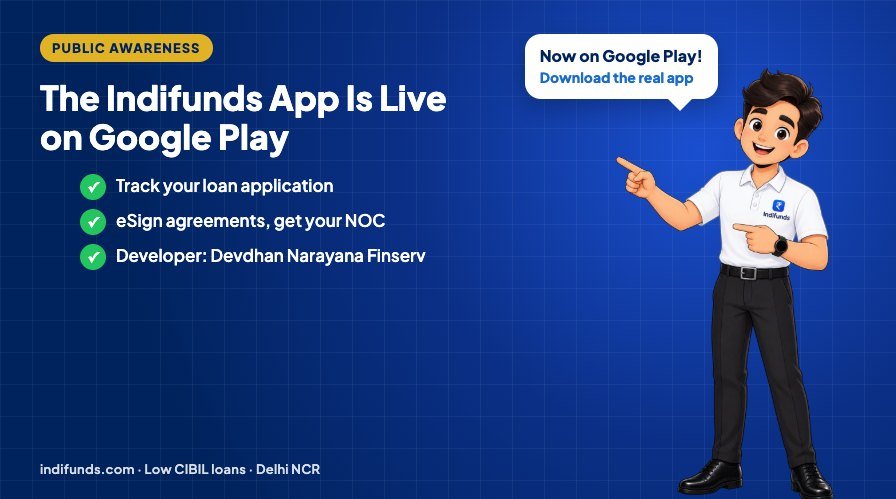
Many of our customers asked the same thing after their loan was arranged: "Where can I see my status?", "How do I sign the agreement?", "Can I get my NOC without calling?" From today, the answer is in your pocket. The official Indifunds app is live on Google Play, and this guide explains what it does, what it does not do, and how to make sure you install the real one.
In short: The Indifunds app (by Devdhan Narayana Finserv Private Limited) is now available on Google Play for Android phones. Existing customers can log in with their mobile number, see the status of their applications, eSign the agreements we send them, download their signed agreement and NOC, and contact our team. New loan applications are made on our website, not in the app.
What you can do in the Indifunds app
- Log in safely with your mobile number: you see only the applications and documents linked to your own verified number.
- Track your applications: check where your application stands without waiting on a call.
- eSign your loan agreement: agreements we send to your mobile number appear in the Documents tab, ready to sign.
- Download your documents: keep your signed agreement and your NOC (No Objection Certificate) on your phone, and download them again whenever you need them.
- Talk to us: call, e-mail or raise a complaint with our team from the Support tab.
What the app does not do
We want you to know this before you download: you cannot apply for a new loan in the app. To apply, use our online application or the eligibility checker on indifunds.com. The app is for customers who have already applied with us. This keeps the app simple and in line with Google Play's rules for financial apps in India.
Your data and privacy
Loan apps have a bad reputation for reading contacts and photos. The Indifunds app does not do that:
- It does not access your contacts, SMS, call logs, gallery or location.
- Data is encrypted in transit and stored in India.
- You can ask us to delete your data at any time from Account → Delete my data.
The full app privacy policy is available inside the app and on our website.
How to download the real Indifunds app
- Open the Google Play Store on your Android phone (Android 7.0 or newer).
- Search for "Indifunds", or tap the "Get it on Google Play" button in the footer of indifunds.com.
- Check the developer name: it must be Devdhan Narayana Finserv Private Limited.
- Install the app, open it and log in with the mobile number you used for your application.
Only install the app from Google Play. Never install a loan app from an APK file sent on WhatsApp or SMS, even if it uses our name or logo. If anyone sends you such a file, call us on 8595702470.
Why we built a service app first
Most questions customers have after applying are about status and documents. Answering them in an app is faster for you and lets our team spend more time on what matters: finding the right loan for your profile. The app is also another way to check that you are dealing with the real Indifunds. Alongside our website, it is now joined by our verified business profile on ChatGPT.
Frequently asked questions
Is the Indifunds app free?
Yes. The app is free to download and use. Indifunds does not charge any fee before a loan is approved.
Can I apply for a loan in the Indifunds app?
No. The app is for existing customers to track applications, eSign agreements and download documents. To apply for a new loan, use the application on indifunds.com.
Is the Indifunds app available on iPhone?
Not yet. The app is currently available for Android phones on Google Play. iPhone users can track their application by calling our support team on 8595702470.
How do I get my NOC in the app?
Log in with the mobile number given on your loan account and open the Documents tab. If your NOC has been issued to that number, you can view and download it there.
How do I know the app is genuine?
The genuine app is called "Indifunds" and its developer is Devdhan Narayana Finserv Private Limited. You can also open it from the Google Play button on indifunds.com. Do not install loan apps from links or files sent by unknown numbers.
Need a loan?
Indifunds is a Noida-based loan facilitator that helps salaried and self-employed people in Delhi NCR, including applicants with a low CIBIL score, apply for loans through RBI-registered lending partners. There is no fee before approval. Check your eligibility, read about personal loans in Noida, or call our support team on 8595702470.
*This article is for general information only and is not financial advice. Google Play and the Google Play logo are trademarks of Google LLC. Loan approval, amount, interest rate and tenure are subject to eligibility criteria, verification and the lender's final approval.
Check your loan eligibility
Salaried in Delhi NCR? Low CIBIL score or a past rejection? Our team will assess your profile.
Takes about 2 minutes. No upfront charges.